


Genio Notes / Study Notes
See how Genio Notes is supporting your students
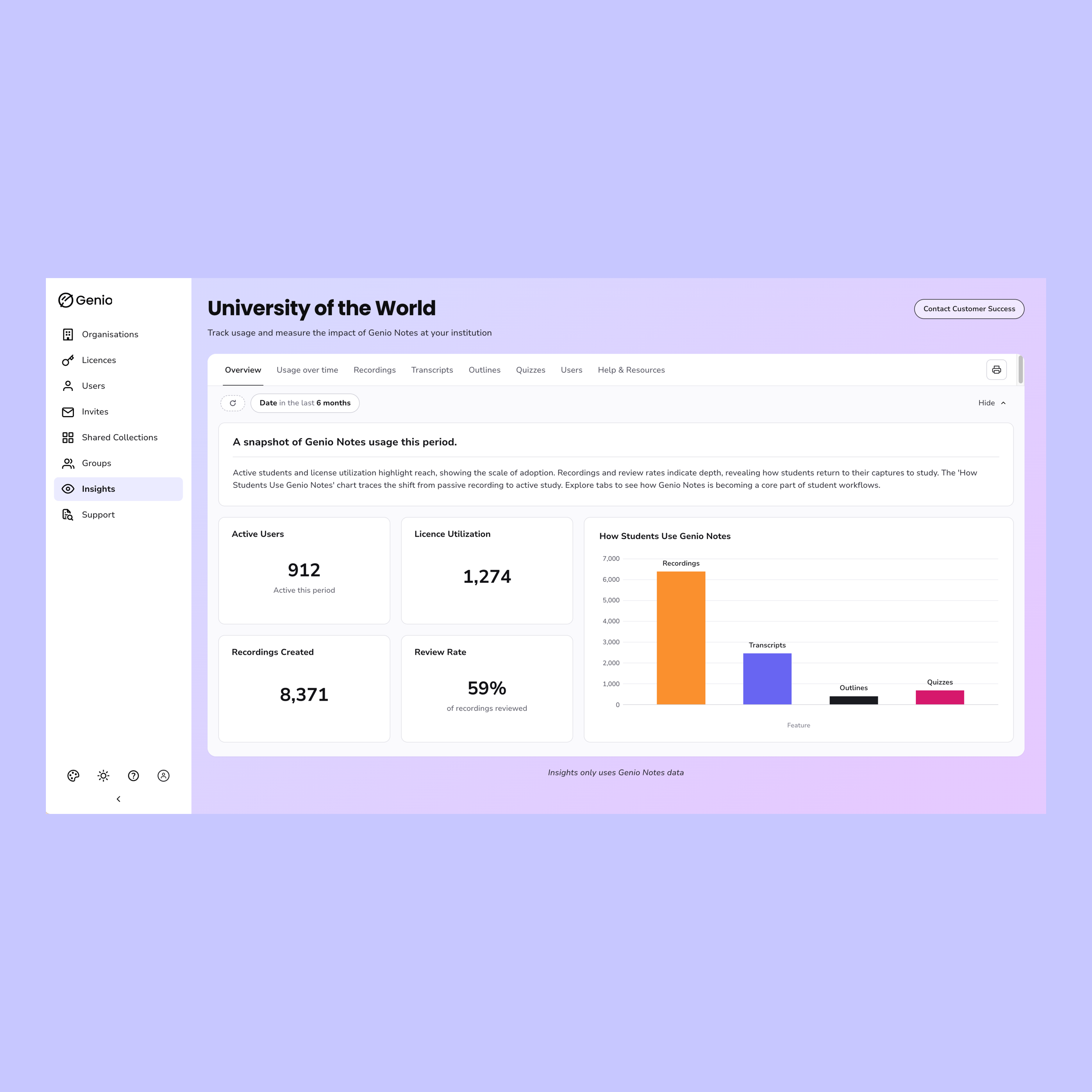
Admin Insights brings usage data, individual student activity and learner stories together in Genio Admin. Track engagement, spot who needs support and share the impact with your stakeholders, without waiting for a report.
Three things Admin Insights helps you do
Track engagement
See how your students are using Genio Notes across recordings, transcripts, outlines and quizzes, and how that changes over time.

Support individual students
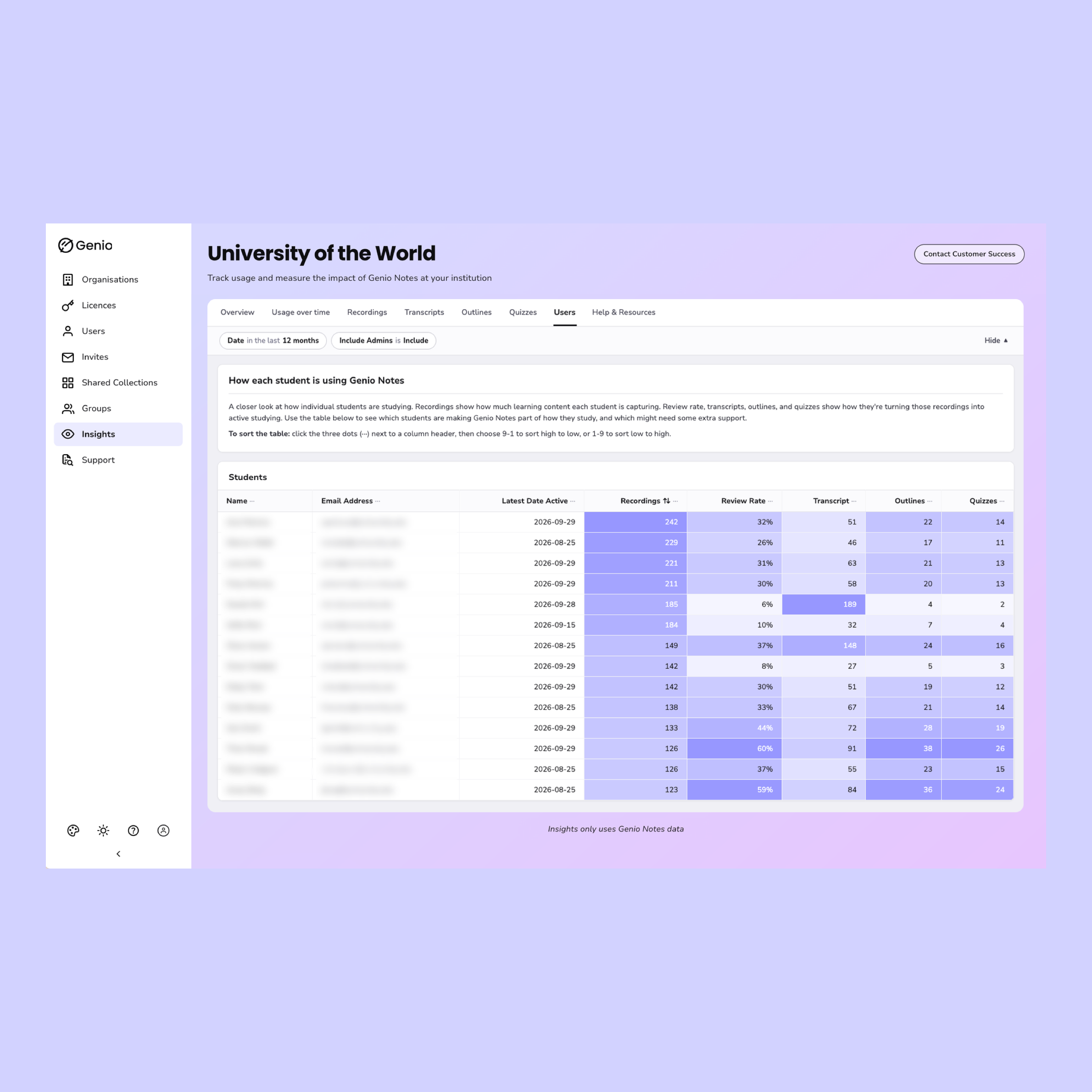
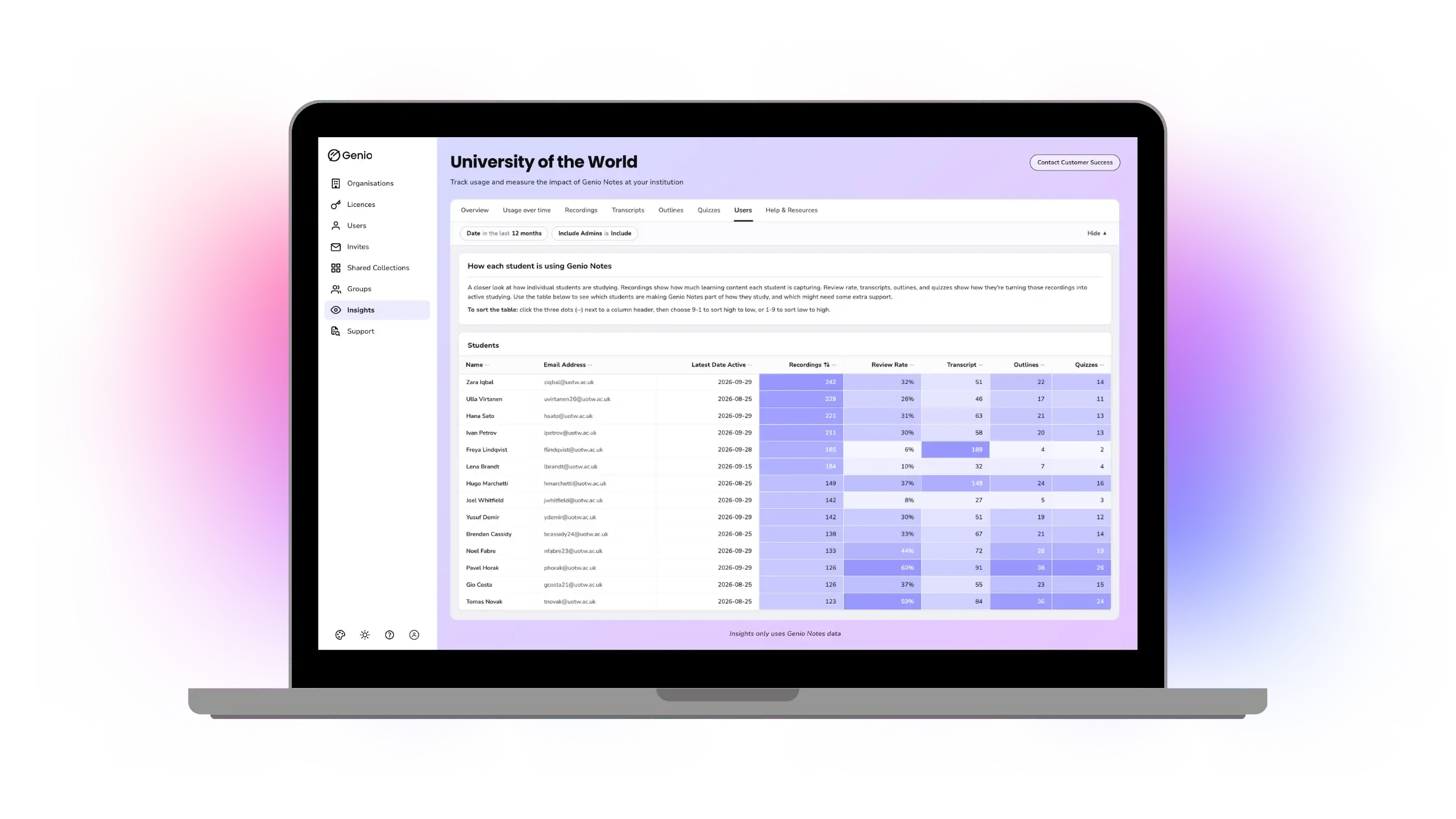
See each student's activity in one table, so you can check in with the students who need it and recognize the ones who are getting the most from their license.

Share your impact
Export what you need for budget and renewal conversations, and pair your data with learner stories that show what Genio Notes means in practice.
See Admin Insights in action
How do our insights help you?
Open Insights from the eye icon in Genio Admin and you land on the Overview tab, a snapshot of how your students are using Genio Notes. Explore Usage Over Time for trends across the semester, and the Recordings, Transcripts, Outlines and Quizzes tabs for a closer look at each study tool. Choose a date range, zoom by day, week, month or year, and include or exclude administrators. Compare with the previous period to see how engagement is changing. Print the tab you're viewing, or export individual charts and tables as a PDF, image or CSV.
The Users tab lists every student with their recent activity, so you can see who is getting value from their license and who might need a hand getting started. See when each student was last active (updated once a day), how many events they've captured, how often they go back to their events after recording, and how many transcripts, outlines and Quiz Me quizzes they've created. Color shading highlights high and low activity at a glance, and you can sort any column. A student who captures events but rarely reviews them may benefit from a check-in before exams.
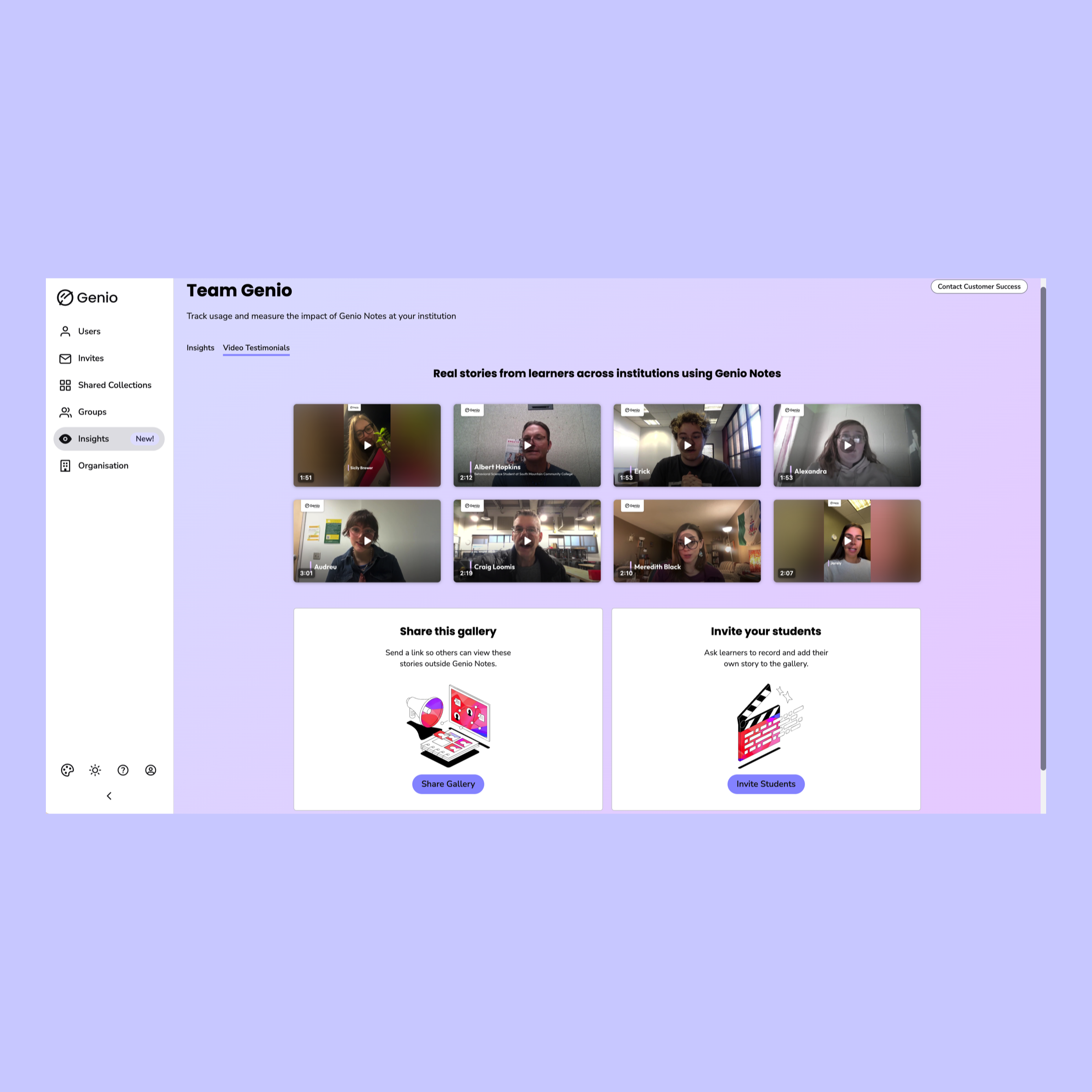
Usage data shows what is happening. Learner stories help show why it matters. The Video Testimonials tab sits alongside your dashboard data and brings in short videos from learners across the Genio community, describing in their own words how Genio Notes helps them feel more confident, capable and supported in their studies. See your usage metrics and learner videos side by side, and show colleagues and leadership what engagement means for learners, not just how many students are logging in. To find it, open Insights in Genio Admin and select the Video Testimonials tab.
Put your insights to work
- Start of semester: Check who has started using Genio Notes and follow up with students who haven't.
- Mid-semester: Look for students who capture events but rarely review them, and offer support before exams.
- Student check-ins: Use a student's activity as a starting point for one-to-one conversations.
- Budget and renewal: Export your usage trends and share learner stories with your Dean, Provost or budget holder. Pair your Usage Over Time trend with a learner video to show both the numbers and what they mean for students.
- Planning awareness: Compare periods to see whether training sessions or campaigns made a difference.
Get started in three steps
- Log in to Genio Admin.
- Select the eye icon in the left-hand panel to open Insights.
- Choose a date range and explore the tabs.
Learn more:

What admins are saying
"When I meet with students when we do check-ins, we just have something to look at and say, okay, either you're using it great, or it looks like you're not using it so much. Really having those metrics, that's awesome."
Tina
Admin at Illinois Valley Community College
"I'm really excited that I can see individual student usage and what they're doing and how they're doing it."
Lindsay
Admin at Siena College
Loved by learners and educators alike
See what students and staff say about Genio.
FAQs
Admin Insights is available to admins on Institution Wide and Department packages, which starts at 10 licenses. Admin Insights is available to these accounts by default and at no additional cost.
Changes to users and groups can take up to 24 hours to appear. Last active dates update once a day.
No. Admin Insights shows Genio Notes data only.
A blank review rate means the student hasn't recorded any events yet, so there's nothing to review.
Not currently. The videos come from learners across the Genio community.
See what your students are doing with Genio Notes
Admin Insights is already in your Genio Admin account. Find out more about Genio Admin
Genio supports learners at over 1,000 institutions globally