Browse from over 210 ready-made formulas across 10 subjects and add them straight to your notes.
Give every student the note taking accommodation they need with Genio
Provide Genio to every student to drive retention and persistence
See the savings Genio delivers versus traditional accommodation support
Calculate the impact of institution-wide access to Genio on retention and grades
Compare Genio's packages and find the right solution for your Department
Give every student at your institution access to Genio
See how institutions like yours are using Genio to improve outcomes
Explore the certifications demonstrating Genio's positive impact on learning outcomes
Note taking and presentation tools that unlock better learning during your studies
Check if you can access to Genio through your institution or government programs
Read how other students use Genio to stay engaged and succeed
Download free guides and tools to help you study smarter
Take your notes wherever you go with the Genio Notes mobile app
Access the guides and resources you need to assess and support learners with Genio
Everything you need to introduce and sell Genio to your customers
Get hands-on with Genio before recommending it to your learners
Get your team up to speed with hands-on Genio training
Increase your productivity in the workplace with Genio
Explore everything Genio's note taking and presentation tools can do
See how Genio helps you meet accessibility standards and legal requirements
Learn how Genio keeps your institution's data safe and compliant
Discover how Genio has evolved and where we're headed
Genio Notes / Equation Support
Genio Notes makes math and science notes as clear as the lecture. Add, review and keep fully formatted equations without learning any code.
From the lecture hall to your printed notes, every formula stays clear and readable.
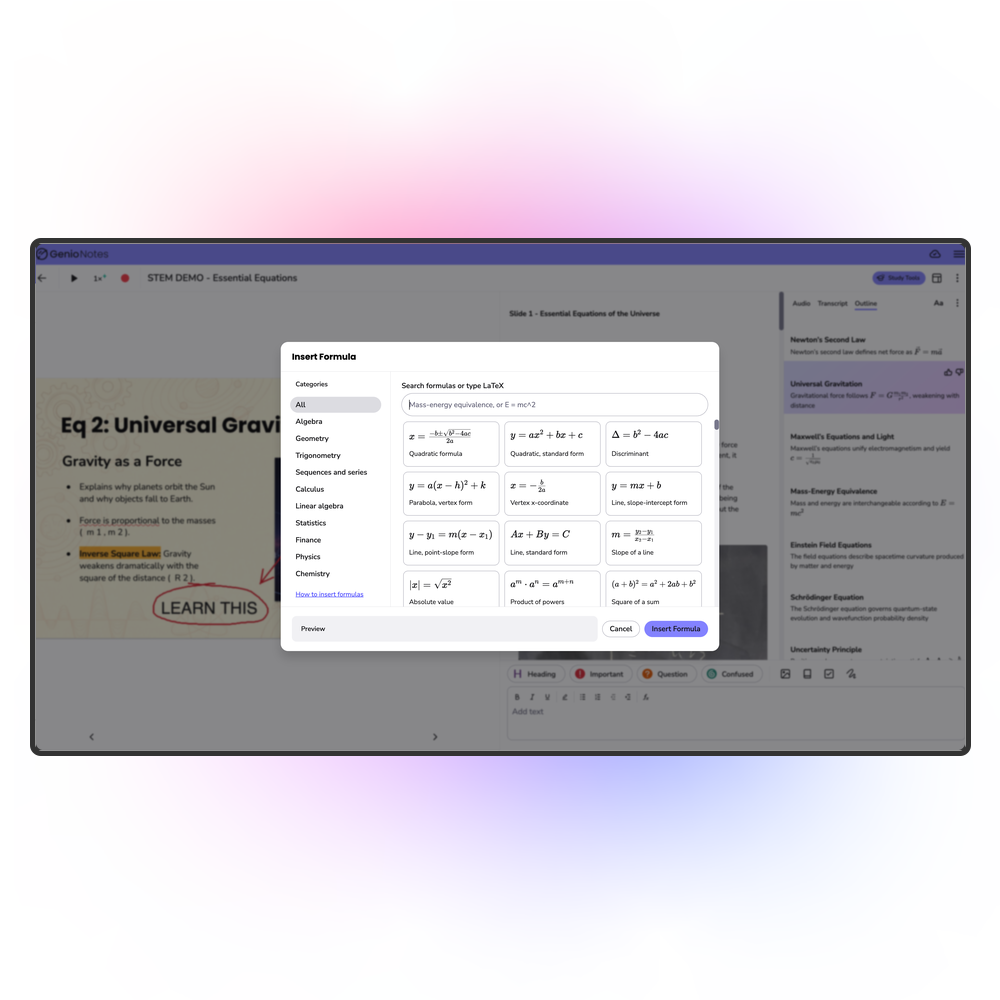
Browse from over 210 ready-made formulas across 10 subjects and add them straight to your notes.
Input your own formulas and equations if you can't find what you need.
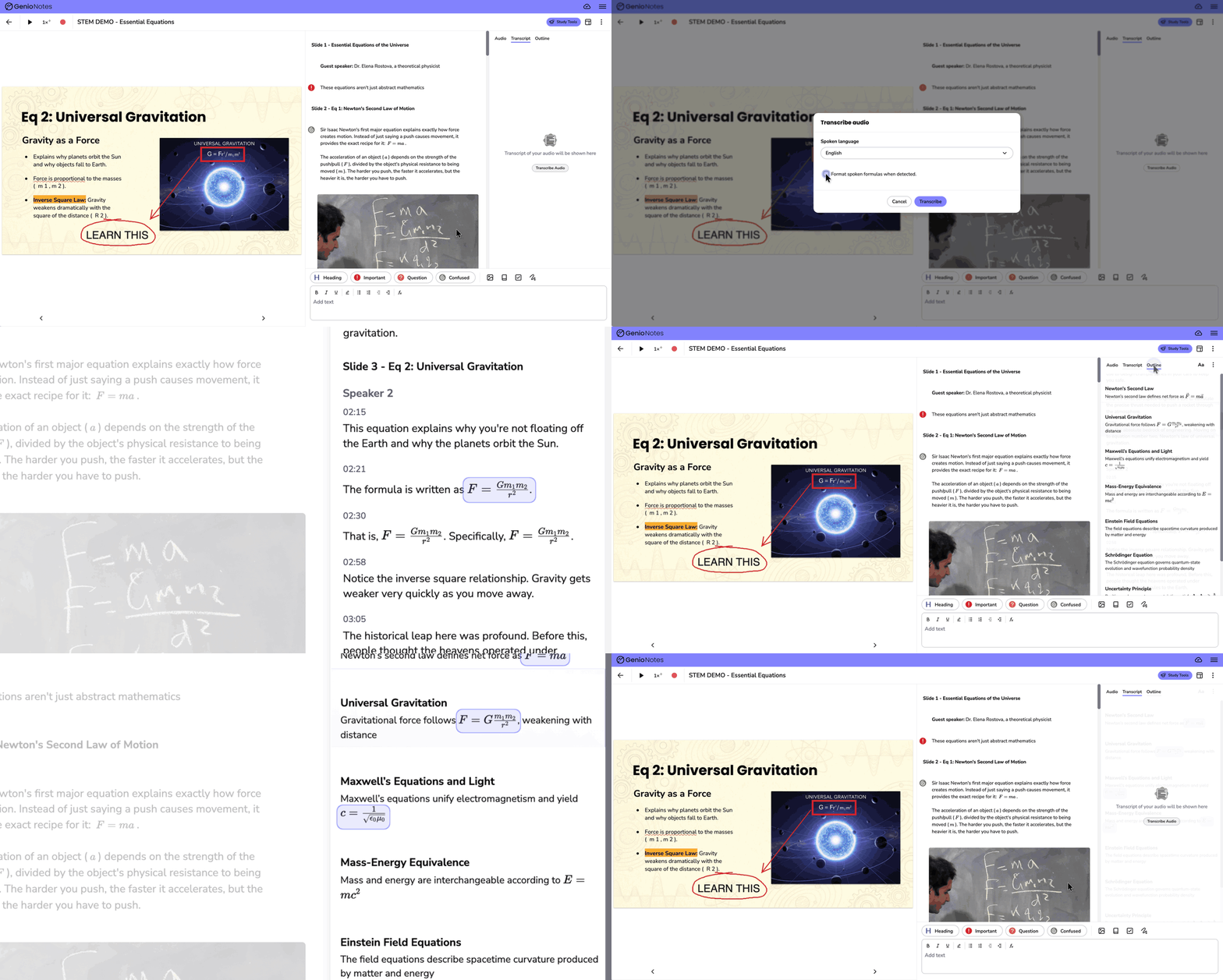
Equations said out loud in a lecture are transcribed and show up fully formatted across Genio Notes.
Print or save your notes to preserve the formatting outside of Genio Notes.
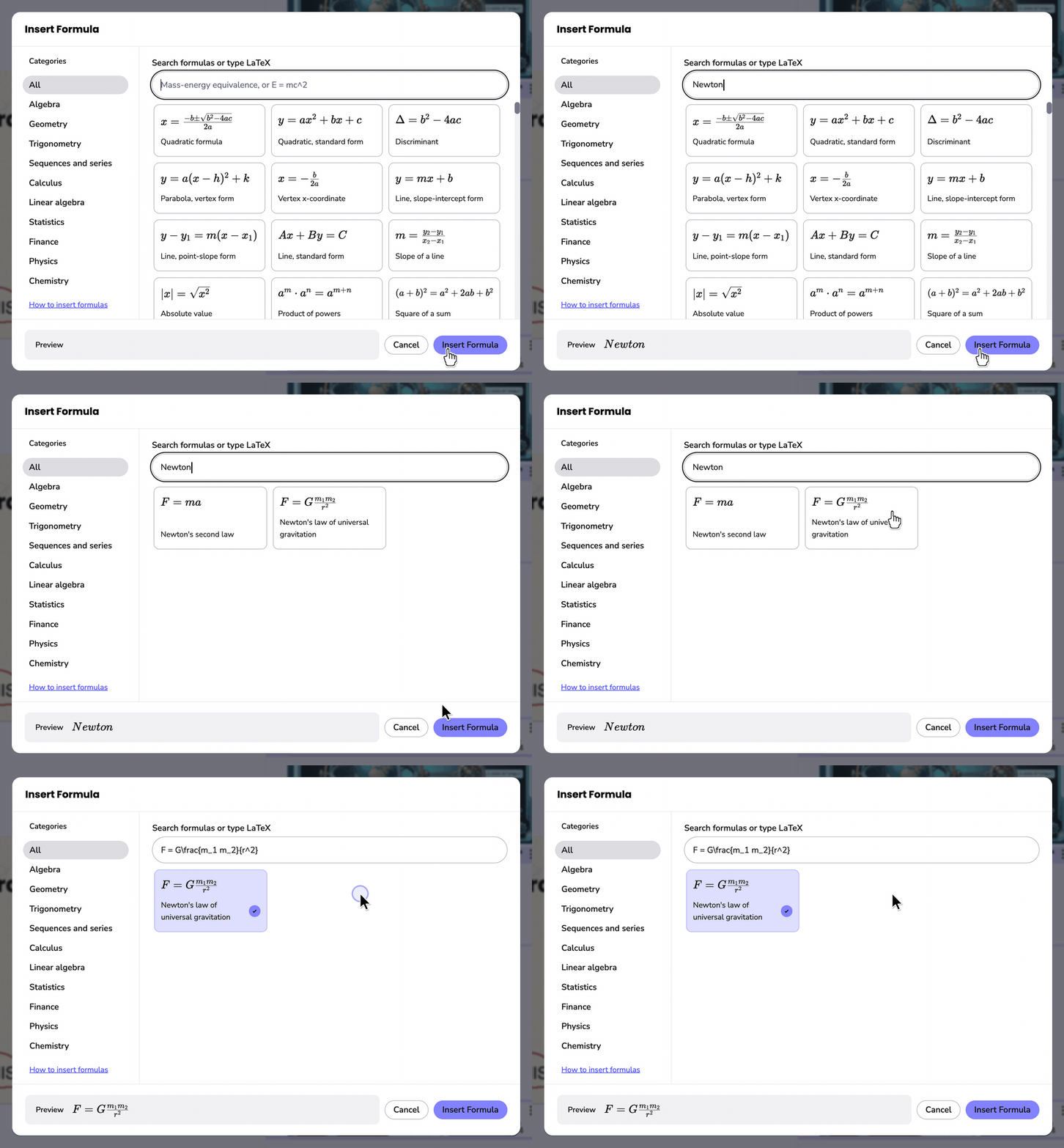
Select ƒx in the note editor to open the Formula Picker. Choose from over 210 fully formatted formulas across 10 subjects, or search by name.
Each formula shows exactly how it will look, alongside its name, so you can spot the right one even if you can't remember what it's called. You'll also see a preview before it's added to your notes feed.
We built the Formula Picker after Disability Support Services teams told us some students recognize equations by sight but struggle to name them or write them in code.
Can't find what you need? You can also type in custom equations to add to the Notes Feed.
Switch on formula detection when you generate a transcript, and spoken formulas and equations will appear fully formatted. For example, 'E equals M C squared' becomes E = mc². Change your mind, or something not quite right? You can switch off formulas or redetect formulas without regenerating the whole transcript.
Those formulas and equations carry through across most of Genio Notes, including Study Notes, Reading View, Quizzes and AI Outline.
Print your notes or save them as a PDF from the Transcript, Reading View or Study Notes. This ensures your formulas keep their formatting, so your equations always look as clear as they do in Genio Notes.
Equation Support is available on every Genio Notes plan, with the exception of any legacy packages.

There are 10 categories: Algebra, Geometry, Trigonometry, Sequences and series, Calculus, Linear algebra, Statistics, Finance, Physics and Chemistry. Choose All to see every formula at once.
Formulas show as formatted equations throughout Genio Notes, except in Tasks and Live Captions.
Our new Genio Institution Wide package enables you to: