







Genio Notes / Extract Text (OCR)
Turn images into editable notes with Extract Text (OCR)
Capture anything from your lecture, from whiteboards and slides to handwritten notes, and have the text instantly readable, searchable and ready to work with in your notes.
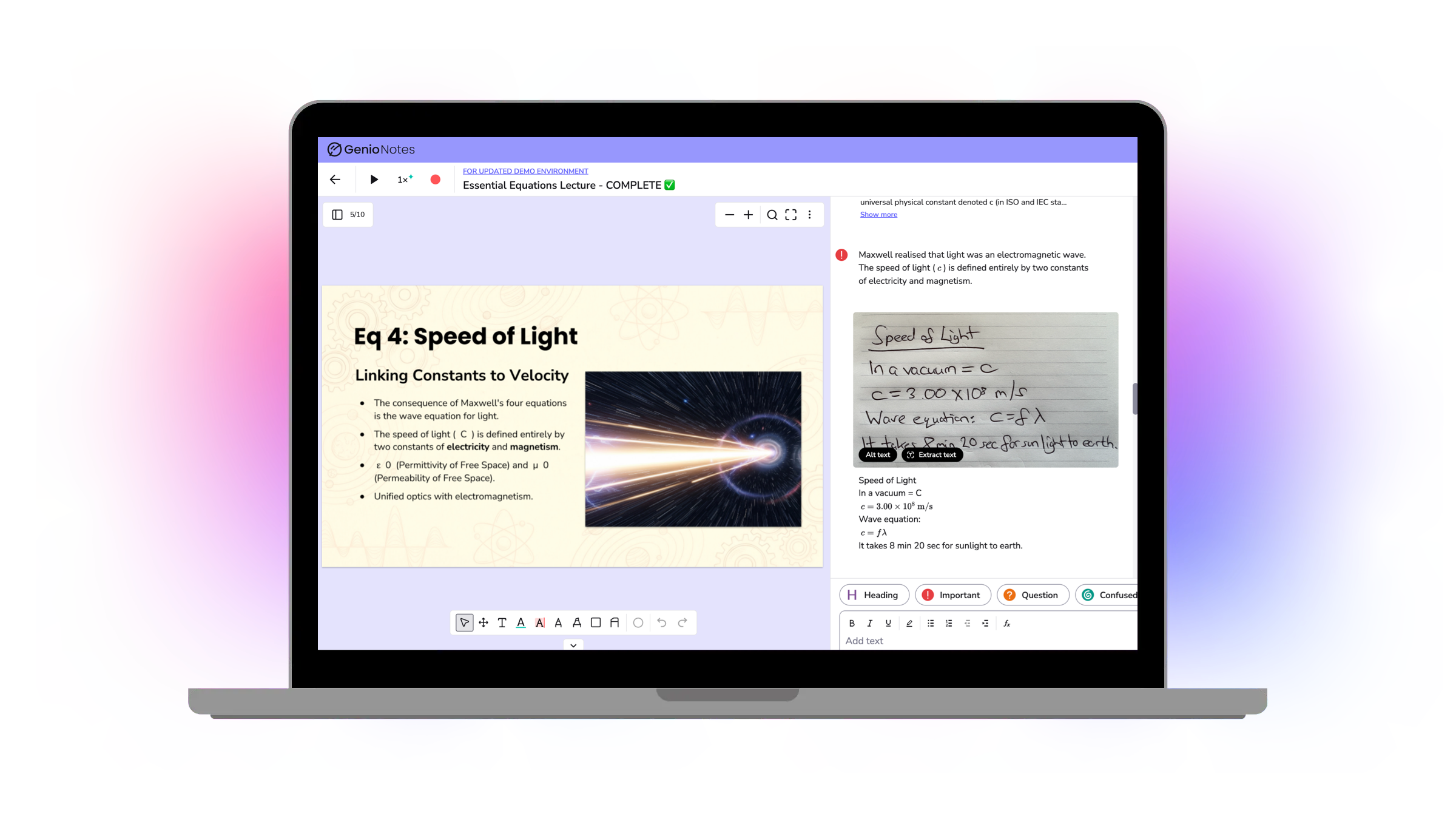
What is Extract Text?
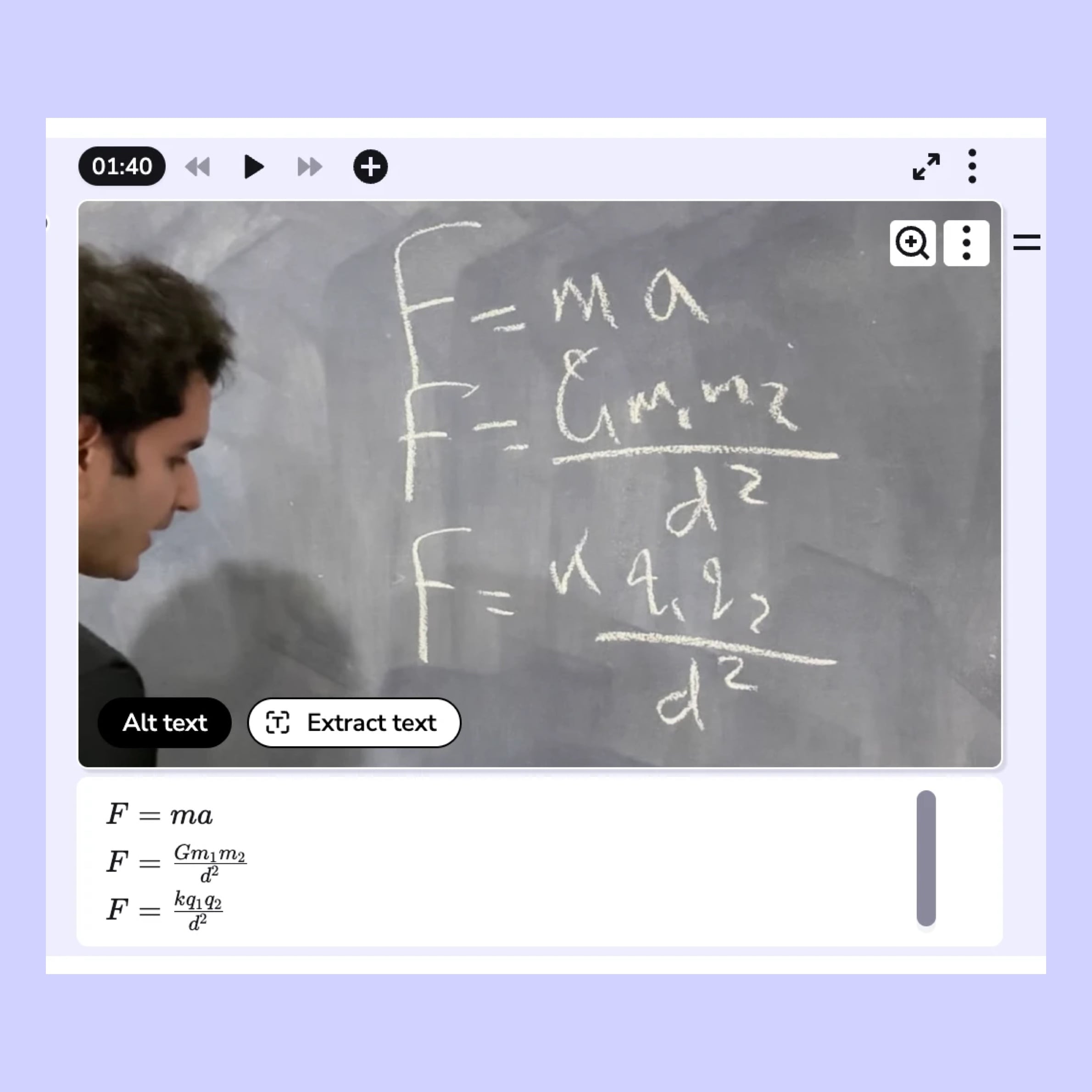
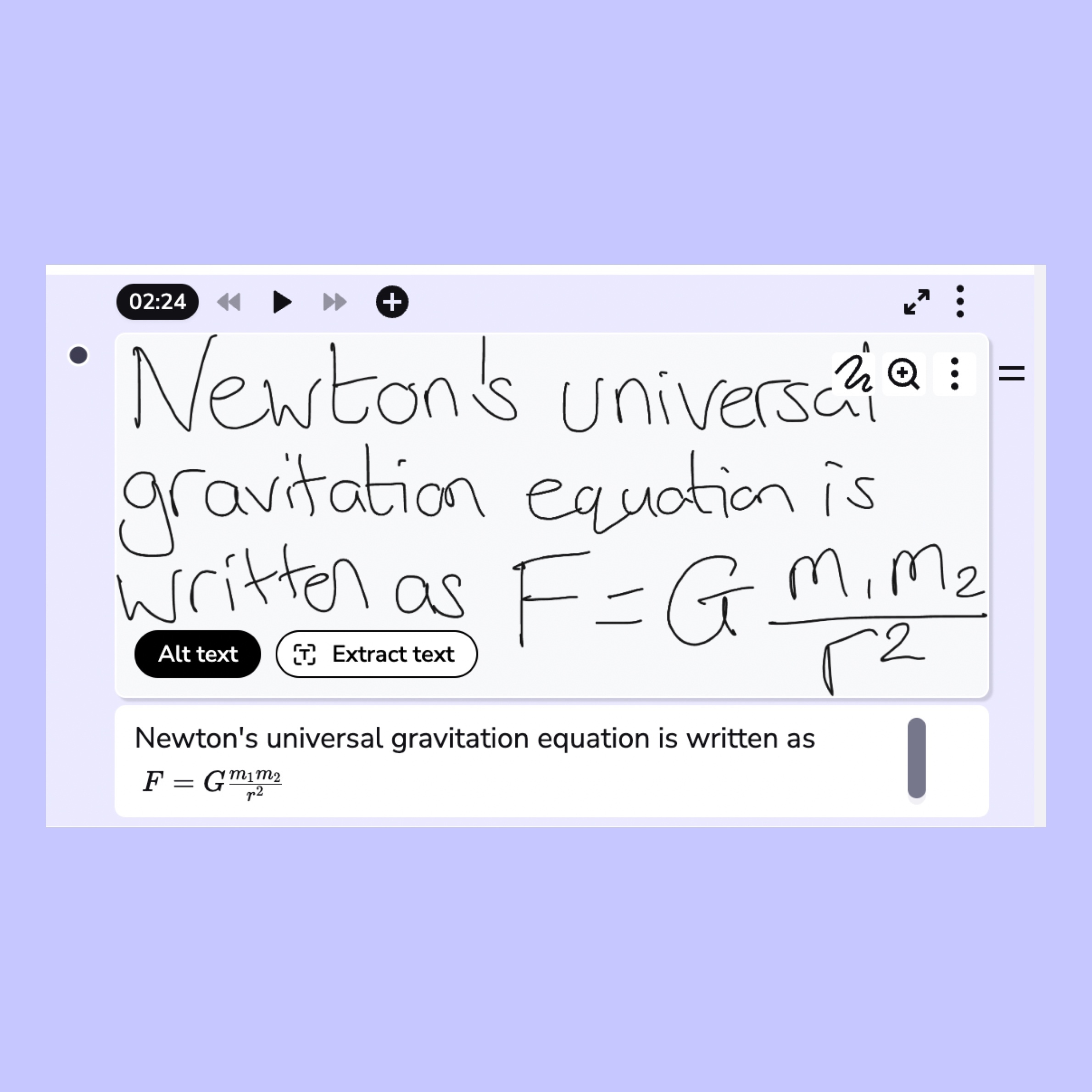
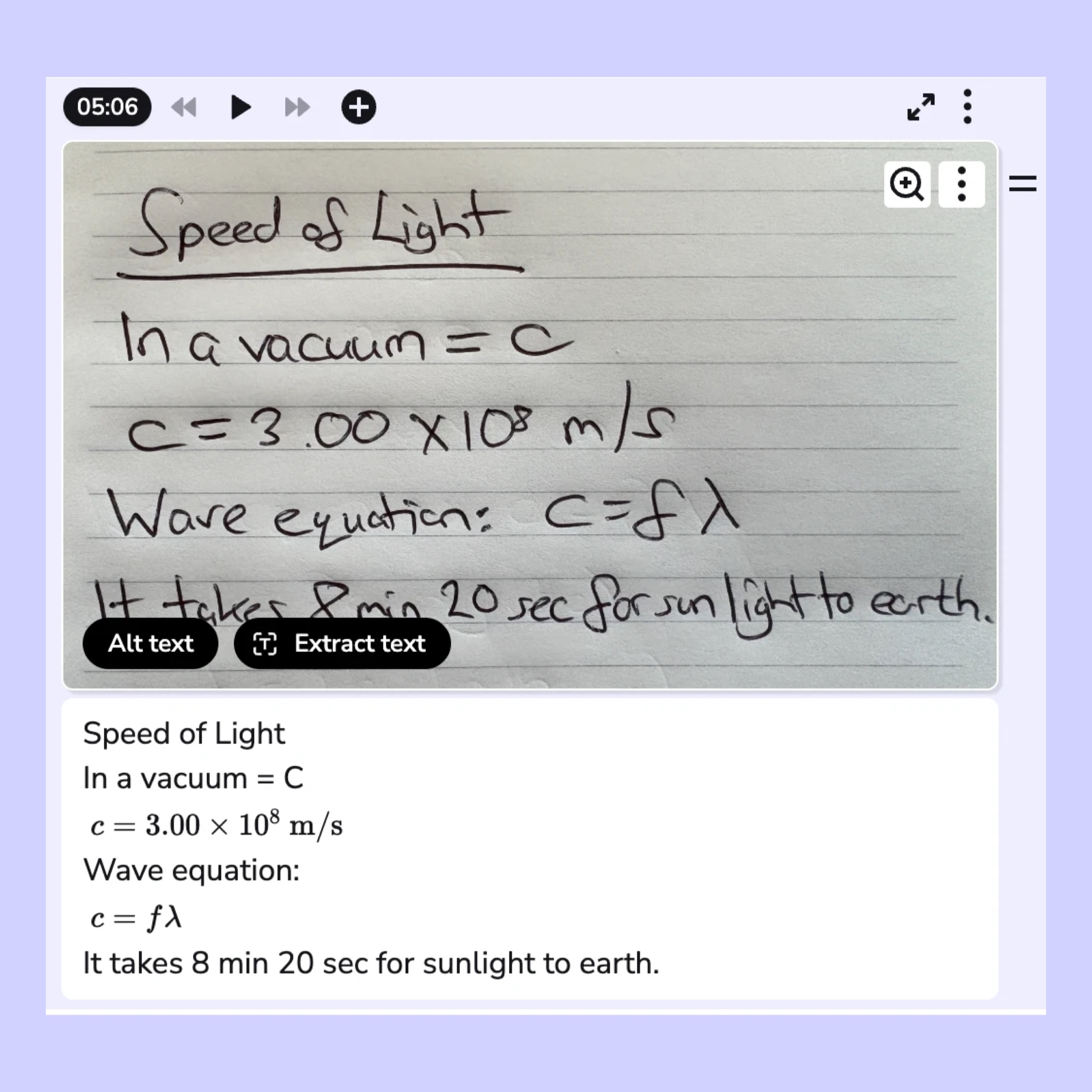
Three ways Extract Text supports students

Independent access to visual content
Students with disabilities can access whiteboards, slides and handwritten content in a readable, editable format, without relying on others to transcribe it.

Stronger STEM support
Handwritten and printed equations become formatted formulas in the notes, giving STEM students another way to capture and revise from equations.
More time for learning
Students spend less time copying from the board and organizing their notes, and more time listening and engaging with the lecture.
How it works
- Add an image to your event: Add a photo of the whiteboard, a lecture slide or a page from a handout. You can also use Scribble to draw or write something in Genio Notes.
- Select Extract text: Choose the image, slide or Scribble you want to pull text from and click the 'Extract Text' button
- Get an editable note card: The text will appear as a new note card directly underneath your image or slide in your notes feed, ready to read, edit and search.

Genio supports learners at over 1,000 institutions globally