




Genio Notes / Video Capture & Playback
Record and upload video directly within Genio Notes
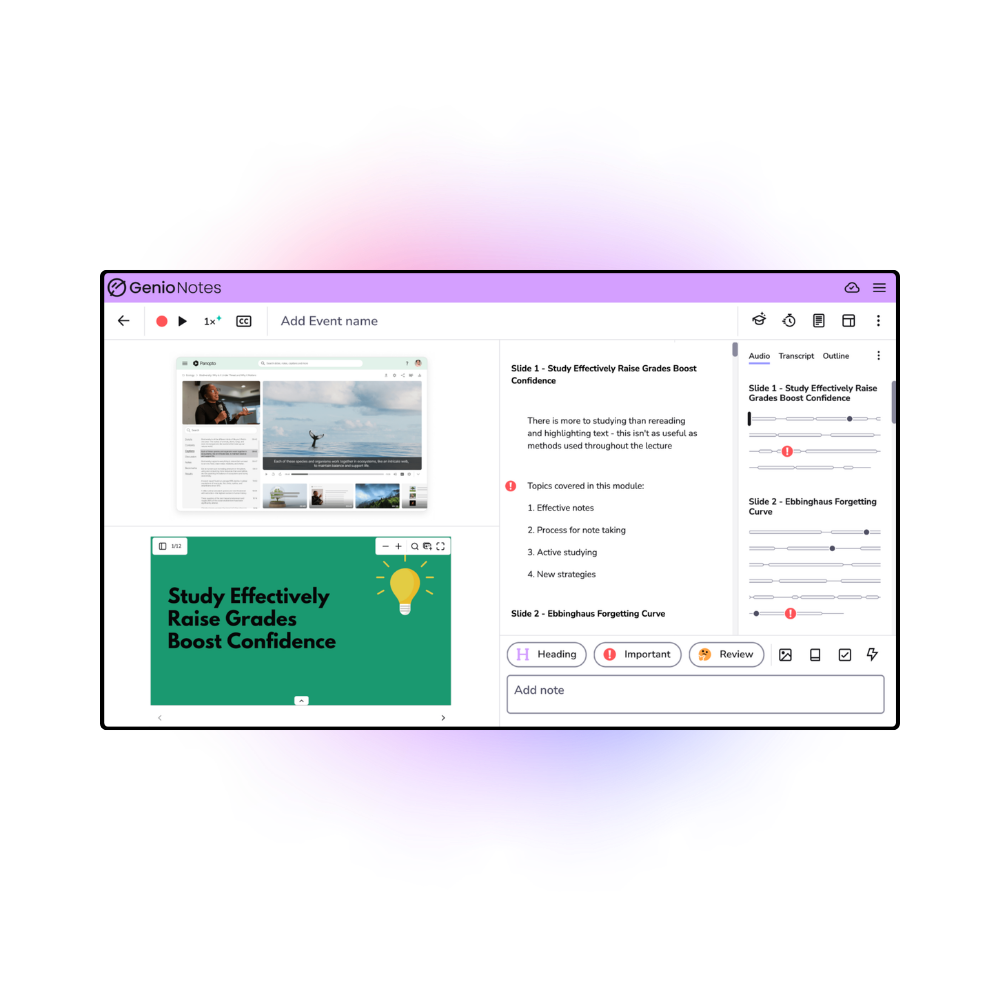
Stay fully immersed in your lectures without the friction of context switching, and keep your video content and slides side-by-side with your notes—all in one place.
Currently in beta with Institution Wide customers
How does Video Capture & Playback work in Genio Notes?
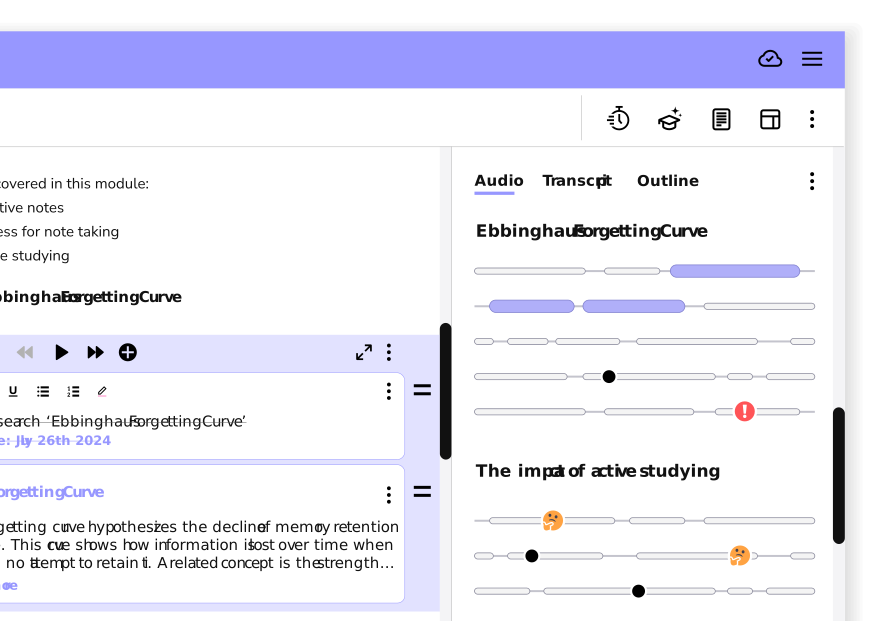
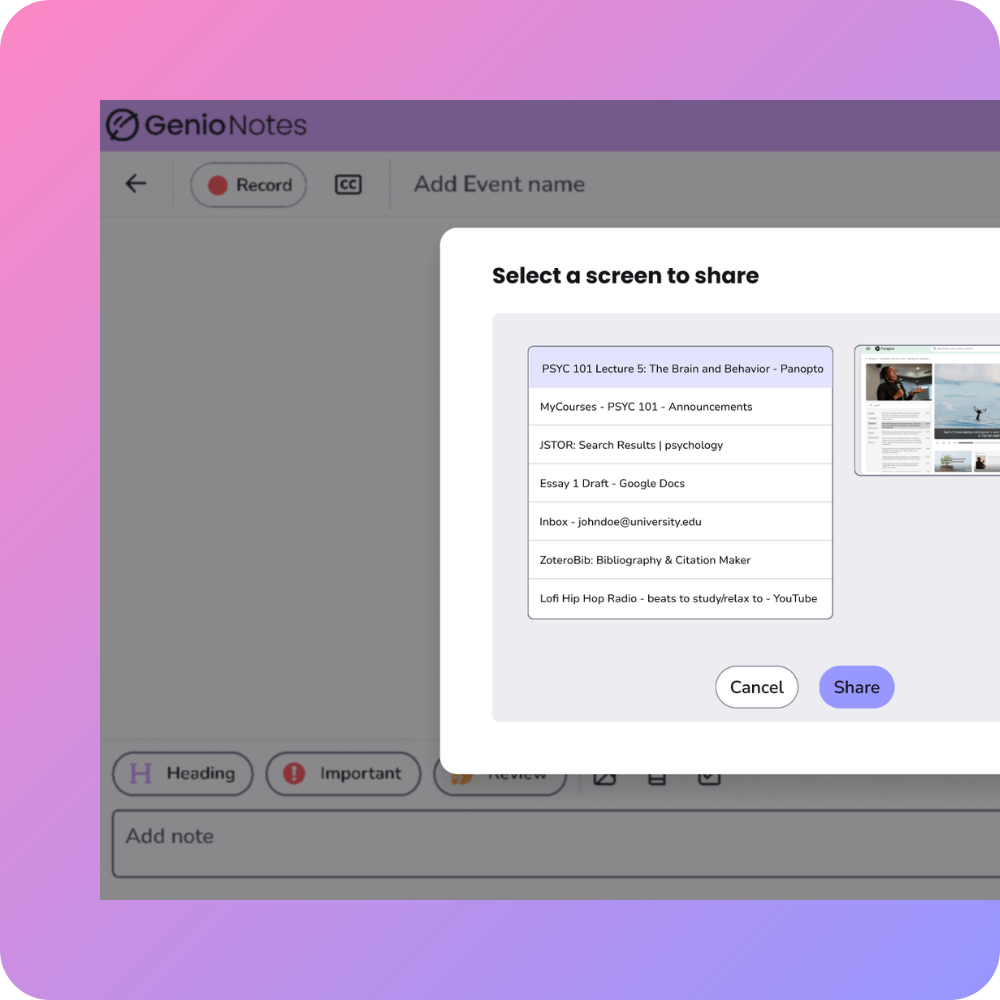
Video Capture & Playback allows you to upload a pre-recorded video or record a video lecture live, and take contextual notes directly on the content. This allows you to have your video content, slides and notes in one place, eliminating context switching - improving study efficiency.
Key details about Video Capture & Playback
- Enables you to transcribe video content after class to help refine your understanding of class information
- Only available on Genio Notes web app
- File upload format requirement: MP4
How does Video Capture & Playback add value to your class recordings?

More efficient studying
Save time by skipping the tedious process of manually linking notes to video content.
Engage fully in video-heavy classes
Actively and effectively engage with all lecture content.

Enhanced organization and recall
Keep all study materials searchable and in context to ensure higher comprehension and better performance on exams.
Here are some questions you might already have about Video Capture & Playback in Genio Notes.
Videos for upload need to be in mp4 format.
You can record video from all browser tabs and windows, therefore there are no platform limitations.
Recording will be limited to 4 hours (same as audio), and a video upload will be limited to 3 hours.
Playback speed can be changed, but the audio clean-up options won’t be supported.
The videos will be stored both in the cloud and locally on your device. We have existing functionality that detects if your device is low on disk space, and a warning message will be shown. You will also have the ability to remove any media via the “Free up space” option in the account menu. If this option is used, the video will be re-downloaded the next time you open the event.
There is no limit to how many videos you can upload.
No, you cannot use Scribble on video content.
Yes, the behaviour will be the same as an audio recording.
Genio supports learners at over 1,000 institutions globally

Don’t just take our word for it
Discover how Genio is making a difference to students and institutions.
Case Studies and User Stories
Read our user stories and case studies“Genio Notes has really helped our students gain independence.”
Concordia University Wisconsin
Case Studies and User Stories
Read our user stories and case studies"Genio Notes made getting great grades easy!"
Student, Moraine Park Technical College
Case Studies and User Stories
Read our user stories and case studies"With Genio Notes, I have been able to get straight As for the first time in years!"
Student, County College of Morris
Case Studies and User Stories
Read our user stories and case studies"Genio Notes is awesome. It’s my favourite product that we use."
Dartmouth College
Case Studies and User Stories
Read our user stories and case studies"Genio Notes helped me to process lectures, write better notes, and organize my thoughts, so I could optimize my study strategies."
Student, Cornell University
Case Studies and User Stories
Read our user stories and case studies"We’re getting students set up immediately. Then we can teach Genio to anyone. It’s so easy."
Missouri State University
Case Studies and User Stories
Read our user stories and case studies78% of students reported less stress while studying, and 76% found exam prep easier after using Genio Notes.
Learner Impact Report
Case Studies and User Stories
Read our user stories and case studies90% of students using Genio Notes say that it's helped them improve their grades.
Grades Challenge report
Case Studies and User Stories
Read our user stories and case studies88% of students find studying less stressful with Genio Notes.
Grades Challenge Report
"What sealed the deal was Genio's phenomenal customer service. It makes our lives so much easier."
College of Charleston
Case Studies and User Stories
Read our user stories and case studies"Students will pay more attention to your lecture because they’re capturing it with Genio Notes."
Fresno City College
Case Studies and User Stories
Read our user stories and case studies89% of students say they feel more confident in their studies with Genio Notes.
Grades Challenge Report
Case Studies and User Stories
Read our user stories and case studies"Before I started using Genio Notes I was a C- student. After accessing Genio Notes, I'm now an A student."
Grades Challenge Report
Could you provide Genio tools for all students on campus?
Our new Genio Institution Wide package enables you to:
- Drive retention with a tool that's been proven to improve student persistence by 11%
- Drive accessibility for all with UDL principles
- Support the 65% of students that aren't requesting help (but really need it)
- Enable more students to achieve better grades with Genio's proven learning process