

















Key takeaways:
- Engineering lectures live in visuals like schematics, force diagrams, structural layouts, and annotated plans that standard note taking tools aren’t built to capture.
- Switching to a separate sketching app breaks the connection between the drawing and the context being covered in class.
- Genio Notes' Scribble feature lets students hand-draw directly into their notes in real time with no app-switching required.
- Every scribble is captured alongside timestamped audio, so when learners revisit a diagram, they can hear exactly what the professor said when drawing it.
- Students using Genio Notes see an average GPA improvement of 3.0%, rising to 4.1% for those who start early, 82% feel more confident as notetakers, and 73.1% say they find studying less stressful.
What makes engineering lectures harder to capture than other subjects?
In an engineering lecture, the professor can go from talking through a concept, to sketching a circuit schematic on the board within seconds, adding detail as they speak and moving on before students have had time to take it all in. Force diagrams, technical drawings, and lab schematics come up in real time, and capturing all of it in the moment is one of the real challenges of studying engineering.
Most note taking tools were made for capturing words, and in many subjects that seems enough. In engineering, where so much of the content is visual, it rarely is.
Students typically hit one of three walls:
- Typing as fast as possible, but still not capturing the actual diagram, and the constant fear of missing what comes next as the lecture moves on.
- Switching to a separate drawing app, only for the sketch to end up disconnected from the rest of the notes and the explanation that went with it.
- Deciding to just listen and trust memory, which is a hard position to be in when studying comes around.
Those gaps build up over a semester, and by exam time many students find themselves spending more energy piecing their notes back together than actually studying the material.
Genio Notes’ Scribble feature was built with exactly these challenges in mind.
How does the Scribble feature in Genio Notes help during engineering lectures?
Genio Notes' Scribble feature lets students draw directly into their notes using virtual pens, pencils, and shape tools, without ever leaving the app.
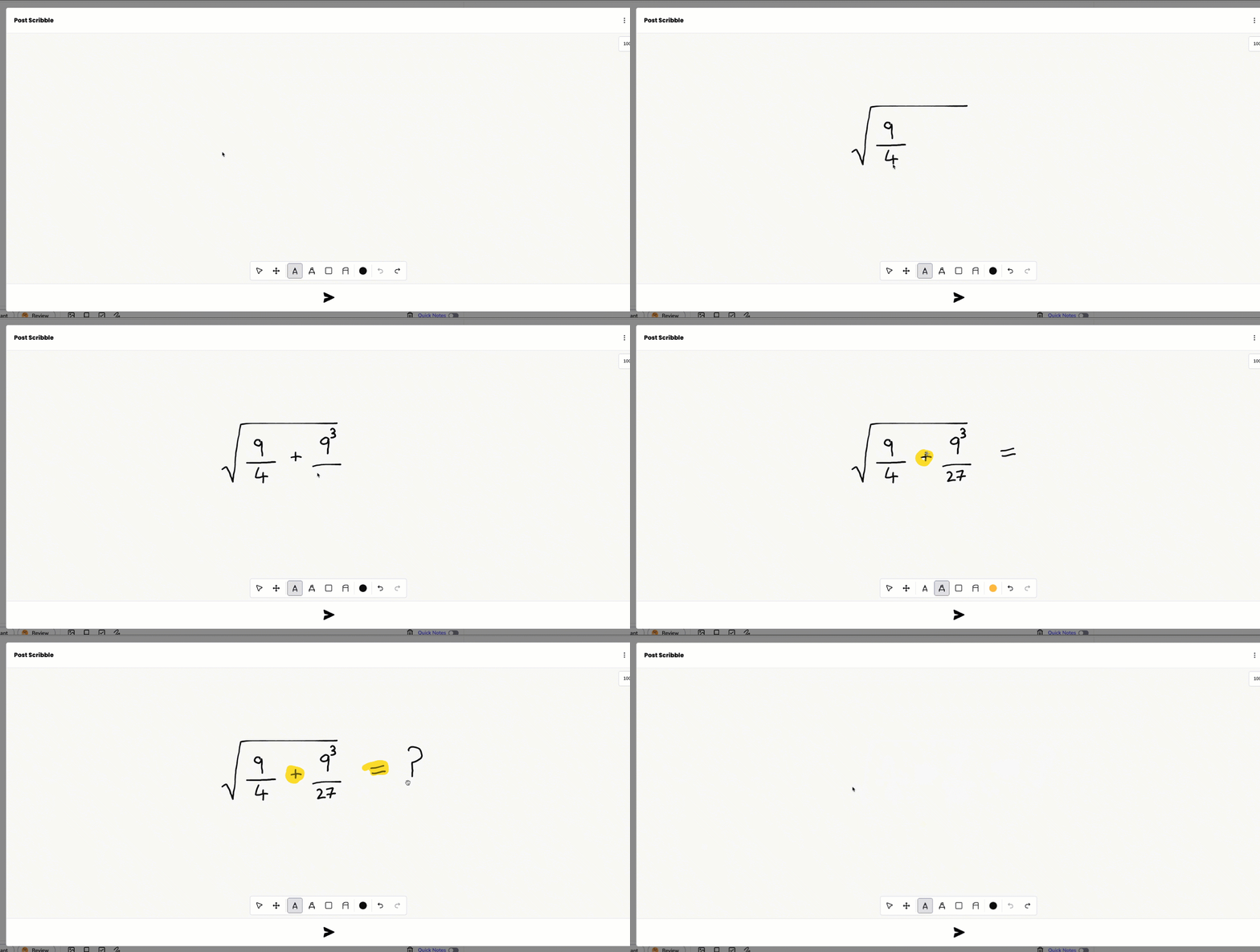
Designed with the demands of engineering in mind, here is what the Scribble feature makes possible for students in the classroom and beyond:
- Sketch diagrams, equations, and annotations in real time, keeping pace with the professor without breaking your focus or switching between tools.
- Every scribble is captured alongside timestamped audio, so students can replay exactly what was being said at the moment you drew it.
- Diagrams sit right alongside the typed notes, recordings, and transcripts, all in one continuous set of notes.
- Works across desktop, mobile, and graphics tablets, so it fits however students prefer to work.
The Scribble feature is built to remove friction without removing the learning. You are still processing and translating what you are seeing into something you have drawn. The difference is that you are doing it inside one continuous set of notes, rather than stitching things together afterward.
To learn more about how to use the Scribble feature click here.
Why engineering students love the Scribble feature in Genio Notes
Engineering is a visual discipline, and studying works best when your notes reflect that. When your sketches, recordings, and written explanations all live in the same place, the experience of going back through the material changes completely.
There is no hunting across apps for the diagram you drew in week three, and no guesswork about which voice recording belongs with which set of written notes.
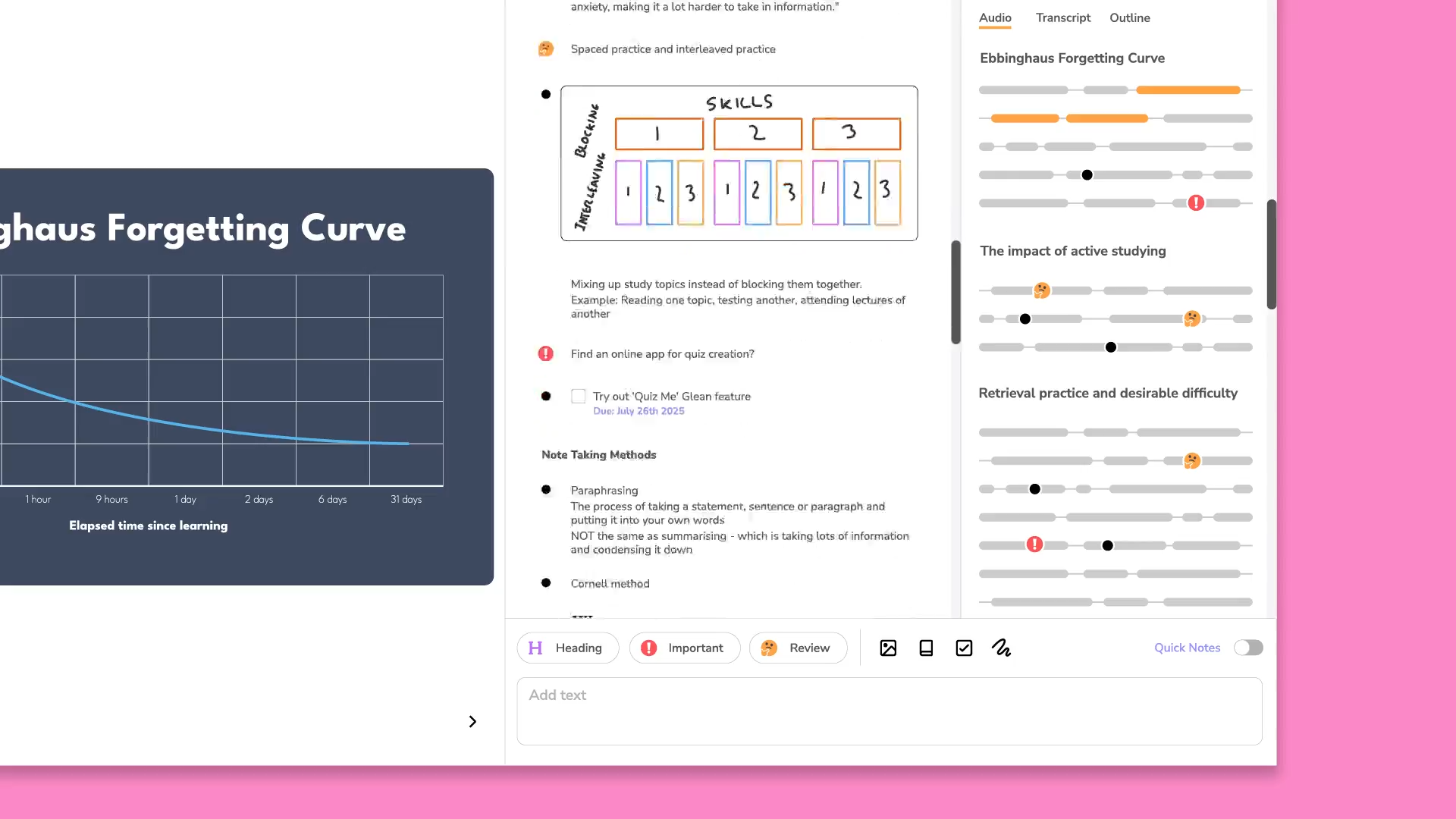
Because every scribble in Genio Notes is captured alongside timestamped audio, opening a diagram during revision means you can immediately play back what was being said at the moment you drew it.
The free body diagram sits next to the lecture transcript, the annotated schematic links directly to the moment your professor explained it, and you can move through your notes the way you moved through the lecture itself, which makes it far easier to identify where your understanding is solid and where it needs more attention.
Capturing diagrams and visual content accurately is one of the core demands of studying engineering, and students using Genio Notes have seen the results in practice.
Our 2026 Learner Impact Report found that the average GPA improvement is 3.0% for students using Genio notes over the semester, rising to 4.1% for students who pick it up early. 82% feel more confident as notetakers and 73.1% say they find studying less stressful.
“Genio Notes helps a lot if I miss something or did not hear properly. I like that I can always go back. It helps me stress less about writing stuff down and allows me to listen more.” - Gabby, Student at Milwaukee School of Engineering
“The scribble feature is my favorite in Genio Notes. As an engineering student there are many diagrams I have to draw out and it helps me a lot.” - Gru, Student at Marion Technical College
Here is what Sindhu, a Masters in Aerospace Engineering student at Georgia Tech, has to say about how Genio Notes helped her with her studies 🔽
Explore more:
- Interested in how Genio helps other STEM subjects? Read our blog for Math and Physics students or Medical students
- Check out our STEM Hub page to see everything Genio Notes offers for STEM learners
Share this blog




Time for a simpler, smarter note taking accommodation?