


















Alice has recently completed her Bachelors degree in Psychology and Criminology and has now moved on to study a Masters in Psychology. In this blog, she shares the feature of Genio Notes she's found most useful during her time at university - Review Labels.
Struggling to keep up in class?
How many times have you been sitting in a lecture theatre scrambling to keep up with what your lecturer is saying? And how many times has this then left you confused because you got distracted trying to remember what they said? Trying to stay motivated to go to lectures in person is tricky for many students and falling behind in lectures doesn’t help.
If this sounds familiar to you then you’re in the right place! I’m going to introduce you to my favourite feature of Genio Notes that helps me to stay on track when note taking.
Before I started using Genio Notes, taking notes in class was overwhelming and stressful for me. With fast-paced, content heavy lectures, I found myself missing key information and having to go back and rewatch lectures constantly.
By trying to write down key pieces I would then fall more behind and couldn’t stay in the present moment. Safe to say this wasn’t sustainable for me.
What if you had a transcript that highlighted where you got lost?
Genio Notes allows you to import lecture slides prior to your classes which takes away a bit of pressure immediately. But it gets even better! During the lecture, you can take notes, anything you think you need to recap you can simply labels using the ‘Review’ label.
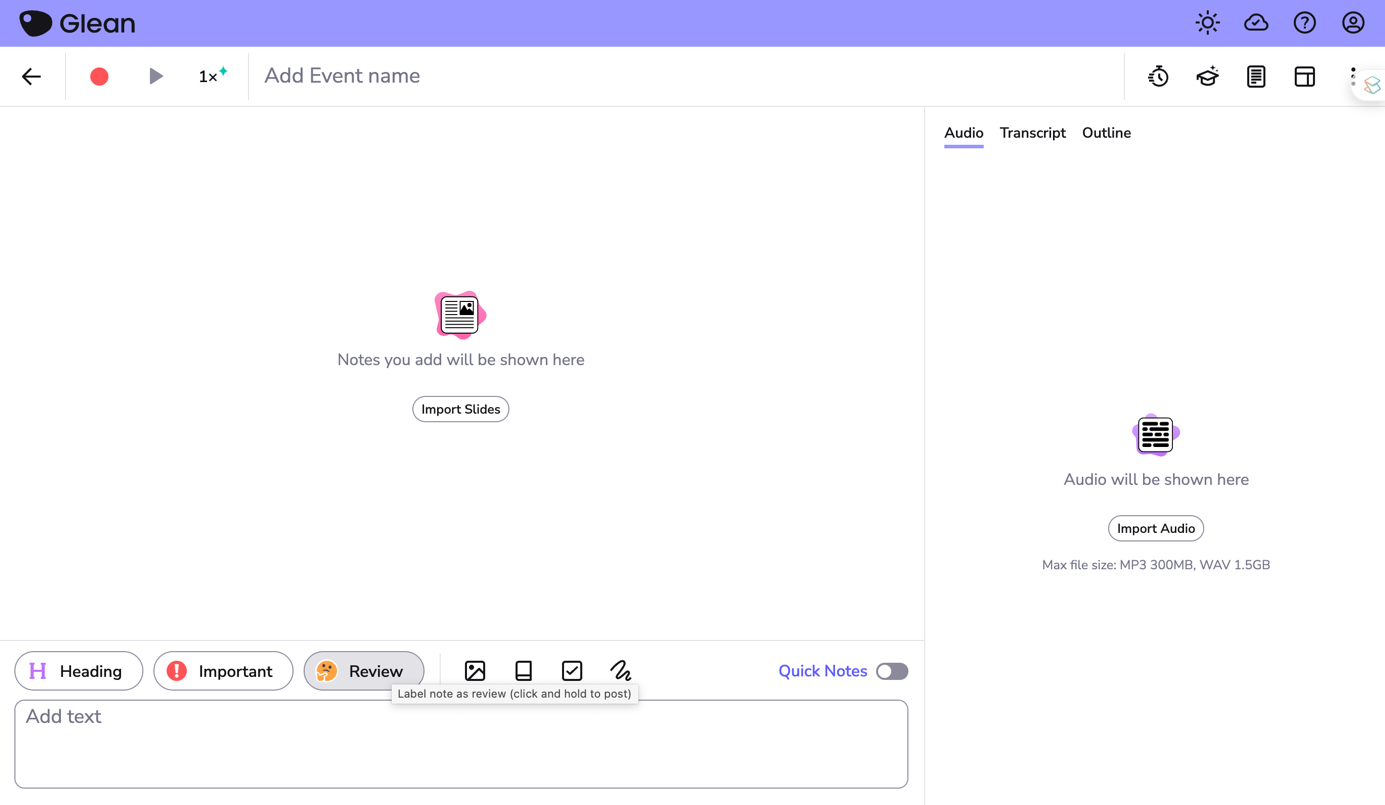
At the end of your lecture, Genio Notes will transcribe the audio making it easy to find content you chose to review. Using the Review Label will highlight the time period in your lecture where you just couldn’t quite catch what your lecturer was saying.
There are so many benefits to this!
This means you can go to class and engage with the content you’re learning about without the unnecessary stress of missing something that may pop up in a test later on.
Plus it saves you time so you don’t have to rewatch whole lectures you fell behind in. This leaves you more time to focus on reading, studying and other areas that need your attention!
Out of all the incredible features on Genio Notes this has to be my favourite! It has been an absolute game changer which has allowed me to excel academically.
Incorporating this into your education journey can free up time for you to enjoy all the other fun things university has to offer guilt free. That’s why this is my favourite feature in Genio Notes.
If you struggle with taking notes in class and are ready to transform your study habits you know what to do next! Having Genio Notes in your toolbox means that you can achieve your academic goals with ease.
Share this blog





Time for a simpler, smarter note taking accommodation?