














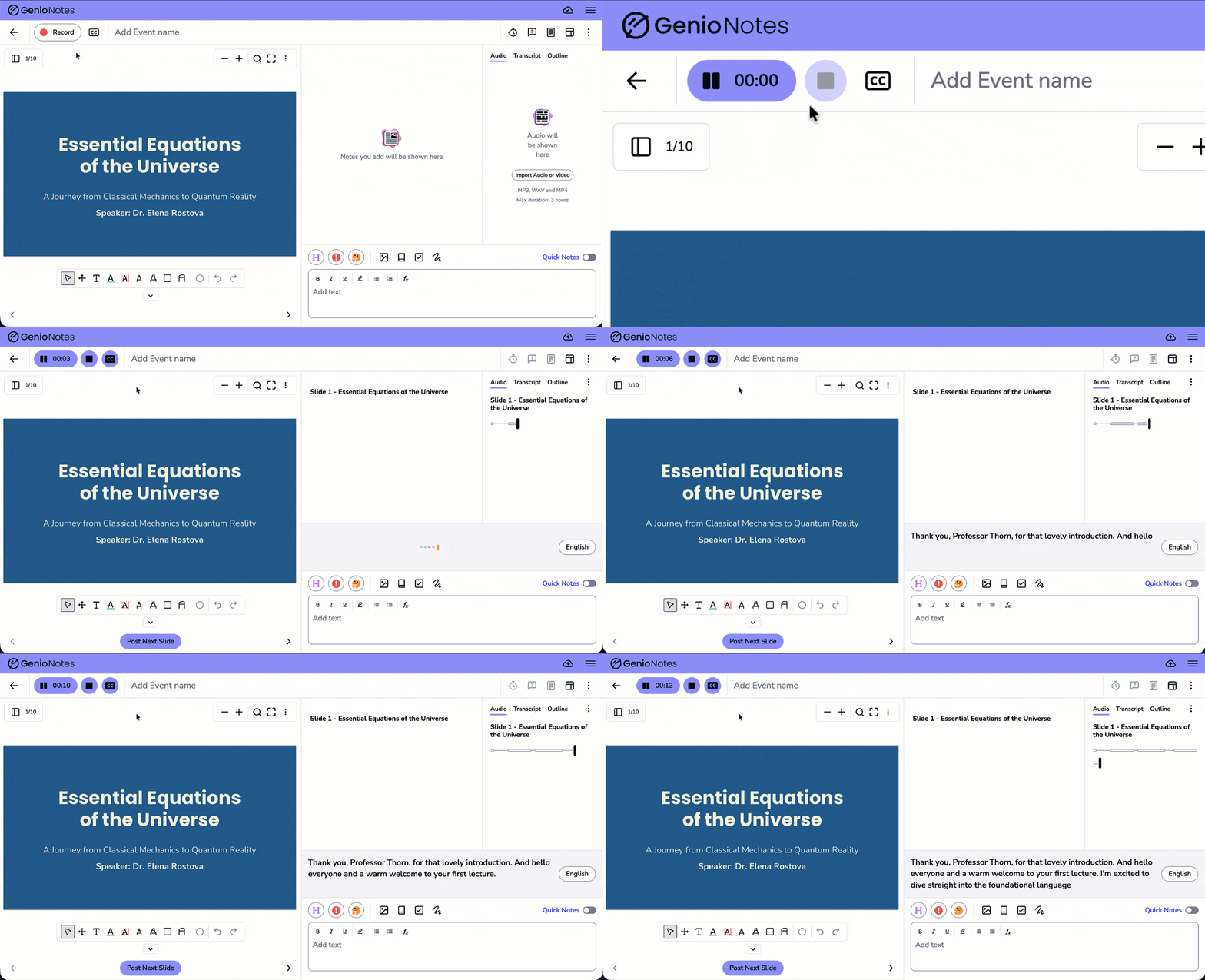


What students are saying about Live Captions
Thousands of students have already benefitting from Live Captions to take notes that help improve their understanding (and grades).

Angelina
"This feature is incredible. If I'm in a loud lecture hall, or if I have trouble understanding the professor, or if I'm just too tired to process the words, the live caption feature has been amazing."
Natalie
"The ability to live caption is my favorite. I have partial hearing loss, and while I can still hear well, it makes it tricky to focus for a long time or understand when there is background sound in the class. The captions help me clear up what I think I heard and if not I can mark the time stamp to re-listen to the audio later."

Student
"This feature is incredible. If I'm in a loud lecture hall, or if I have trouble understanding the professor, or if I'm just too tired to process the words, the live caption feature has been amazing."
Ella
"This feature has to be my favorite because it makes the app more accessible, and also allows for me to have time to catchup on notes because I have the last 2-3 sentences there."
Tia
"I have an auditory processing disorder, so it's hard to hear what the professor is saying in class. With captions, I can understand so much more of what they're saying."

FAQs
We've put together a selection of FAQs to answer any questions you might have at this stage.
How many Genio customer institutions currently use Live Captions
Over 350 institutions now use Live Captions, benefiting their students.
Can I use Live Captions on mobile?
Yes! We support English-language captions on mobile. Check it out on the App Store or Play Store.
How accurate are the Live Captions?
The accuracy of Live Captions is dependent on many factors, but the captions used are the market leading for accuracy.
What languages is Live Captions available in?
Live Captions supports over 30+ languages, including English, Spanish, Portuguese, French, Bahasa (Indonesian), Czech, Danish, Dutch, German, Greek, Hindi, Italian, Korean, Norwegian, Polish, Russian, Swedish, Turkish, and Ukrainian. Learn more about Live Captions language support here.
Can I purchase Live Captions for a smaller number of students? Currently Live Captions will be added to all students on a Genio Notes subscription. Captions have benefits to all students to enhance their learning in class.