













Top STEM features in Genio Notes
Handle complex equations
Complex equations rendered perfectly in Transcriptions, Outline, Quiz Me and more.
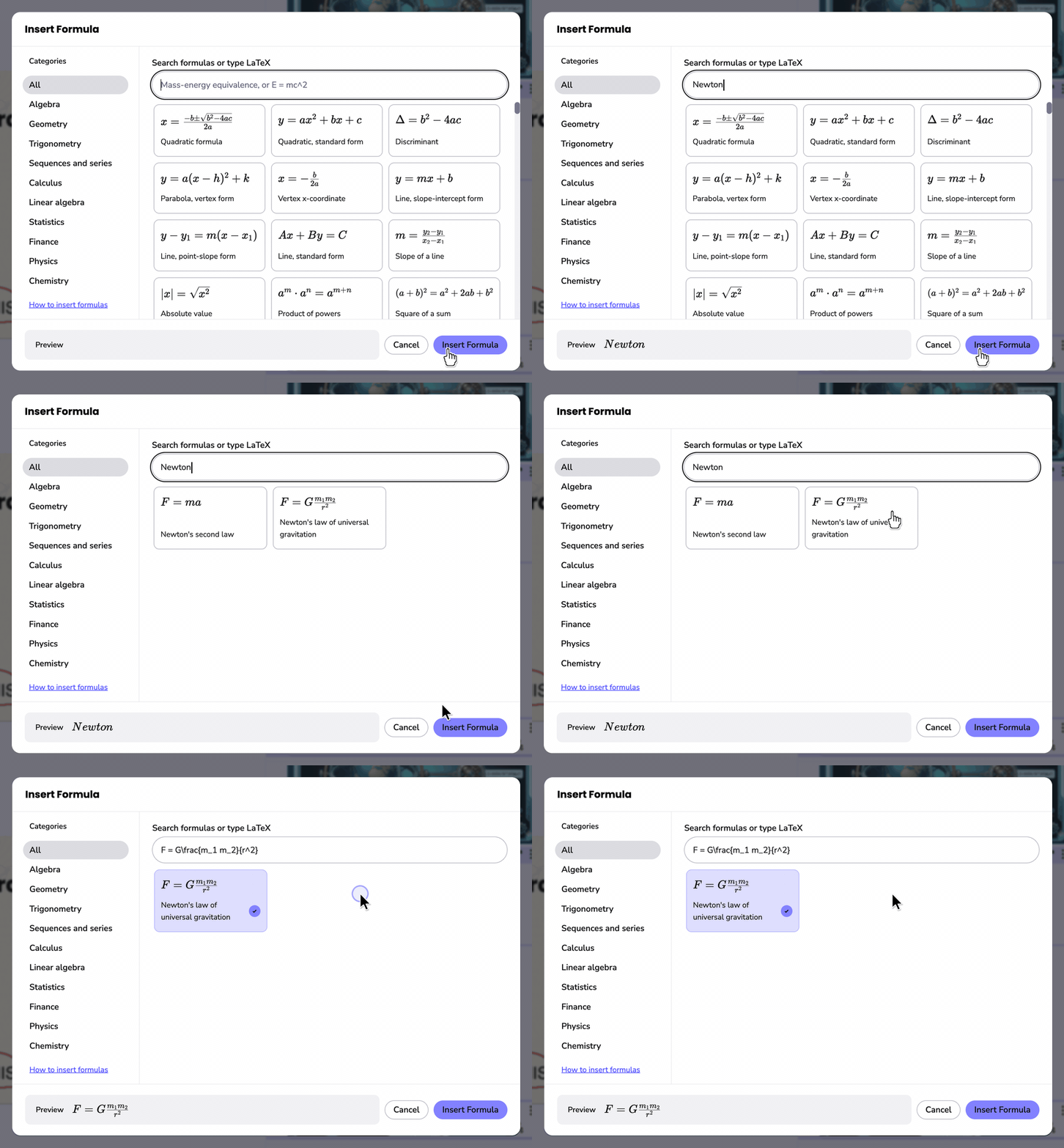
Also select from over 210 fully formatted formulas to add as a note, or type in your own!
Extract Text from visuals
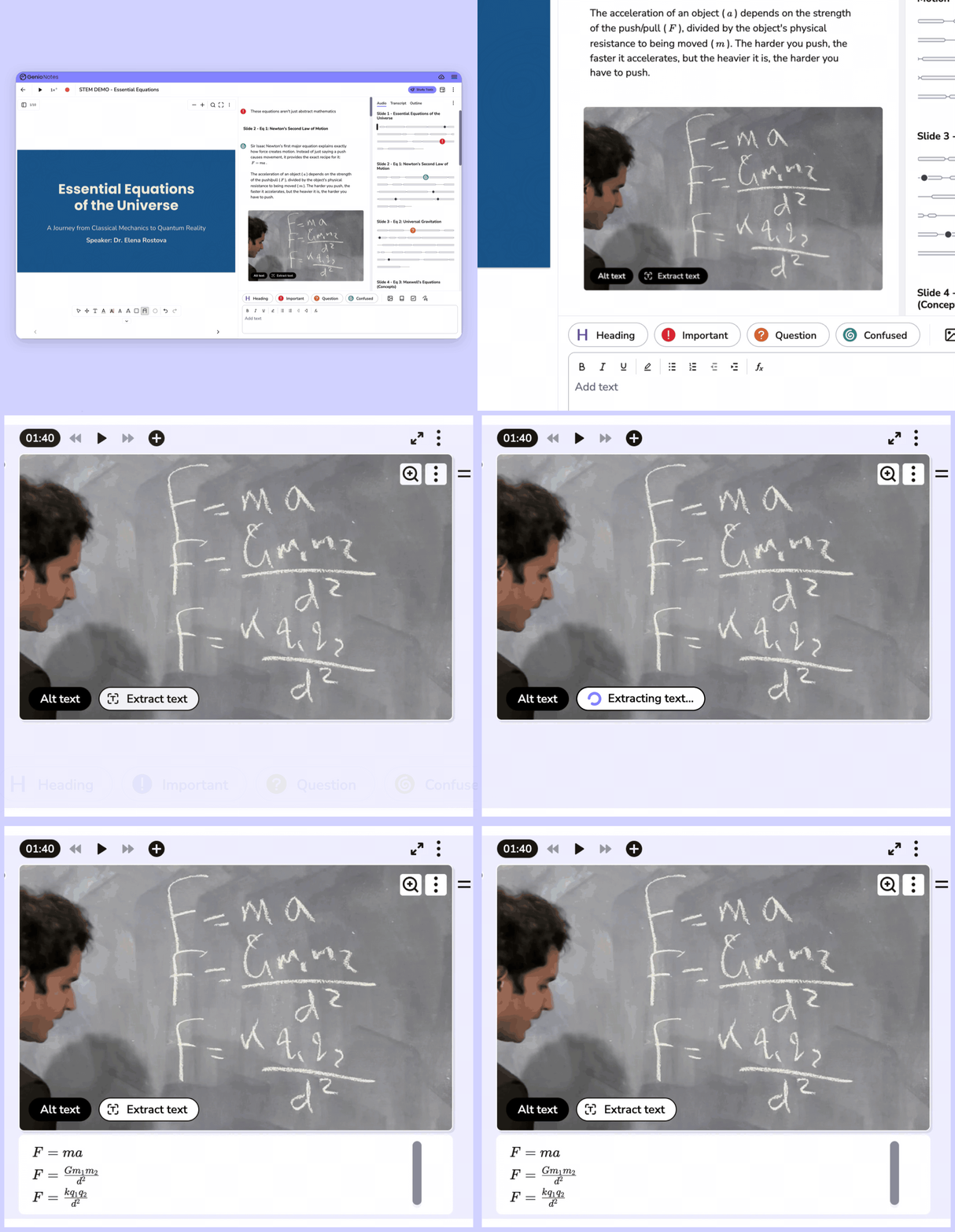
Use OCR technology to extract fully formatted formulas and other text from handwritten notes, images, or photographs of the whiteboard or paper.
Explore Extract Text
Explore Extract Text
Draw and annotate diagrams and equations
Create digital notes, drawings and diagrams using Scribble, or use Slide Annotations to add text, freehand annotations or text annotations to slides and other documents.


Watch our STEM eWebinar
This feature-focused webinar showcases how Genio Notes can help to provide holistic support for STEM students.
We’ll go beyond theory and show you the practical tools that make complex content more accessible, with a first look at brand-new features!
